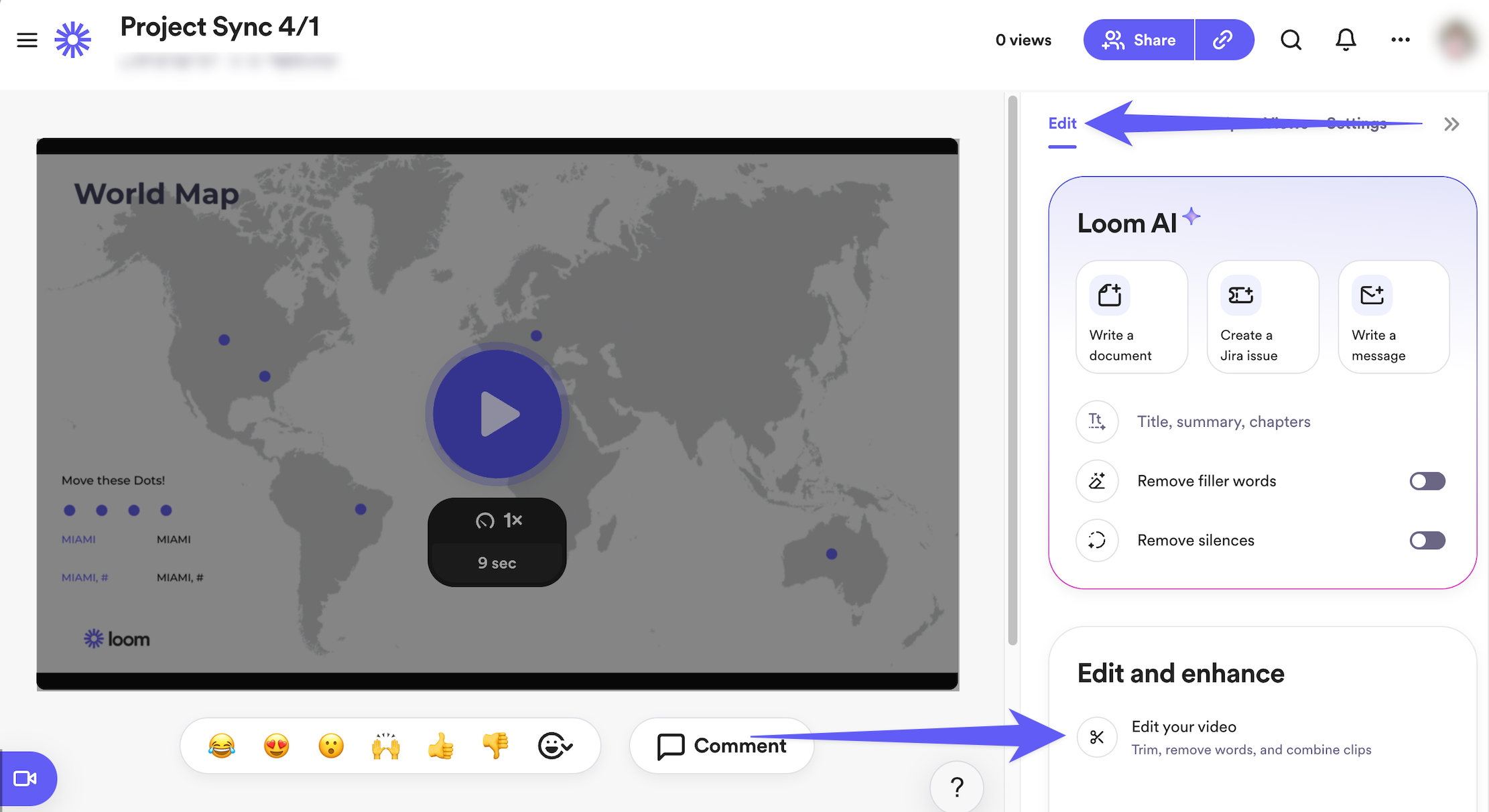
In the realm of video editing, Loom stands out. It is a tool designed to simplify and enhance communication through video messages.
Whether you are part of a marketing agency, a product manager, or work in a SaaS company, Loom offers a practical solution. It allows users to record screen videos, create video libraries, and share links across platforms with ease. This makes it perfect for reducing the need for lengthy meetings or emails.
With Loom, you can also edit videos before sharing, ensuring your message is clear and concise. The tool supports internal documentation, knowledge sharing, and provides real-time notifications for video views. Integrated with platforms like Google, Salesforce, Trello, and Zendesk, Loom is a versatile choice for effective communication.

Credit: www.loom.com
Introduction To Loom Video Editor
Loom is a video messaging tool designed for individuals, teams, and businesses. It helps create and share video messages across different platforms. Loom offers a faster and more personal alternative to text messages, emails, and meetings.
Loom’s main purpose is to reduce meetings and long-form texts. It aims to provide better context and data through video. This tool is best for marketing agencies, product managers, and SaaS companies. Users can record screen videos easily and create video libraries. It also allows basic video editing like trimming, adding thumbnails, and call-to-action buttons.
Loom supports integrations with platforms like Google, Salesforce, Trello, and Zendesk. It is also GDPR-compliant, ensuring data protection. The tool offers lifetime access if downloaded within 60 days of purchase. Note that this deal is non-refundable.
Key Features Of Loom Video Editor
Loom Video Editor offers easy screen recording, video sharing, and quick editing tools. Users can add comments and trim clips seamlessly. Ideal for creating tutorials and presentations.
Screen Recording And Webcam Integration
Loom lets you record both your screen and webcam. This helps you show exactly what you need. You can create clear and engaging video messages. This feature is great for tutorials and presentations. Share your screen and face at the same time.
Instant Editing Tools
Loom offers basic editing tools. You can trim your videos easily. Add thumbnails and call-to-action buttons. This helps make your videos more appealing. Edit your videos before sharing them to ensure quality.
Sharing And Collaboration Features
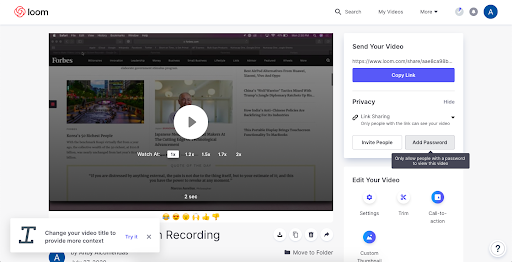
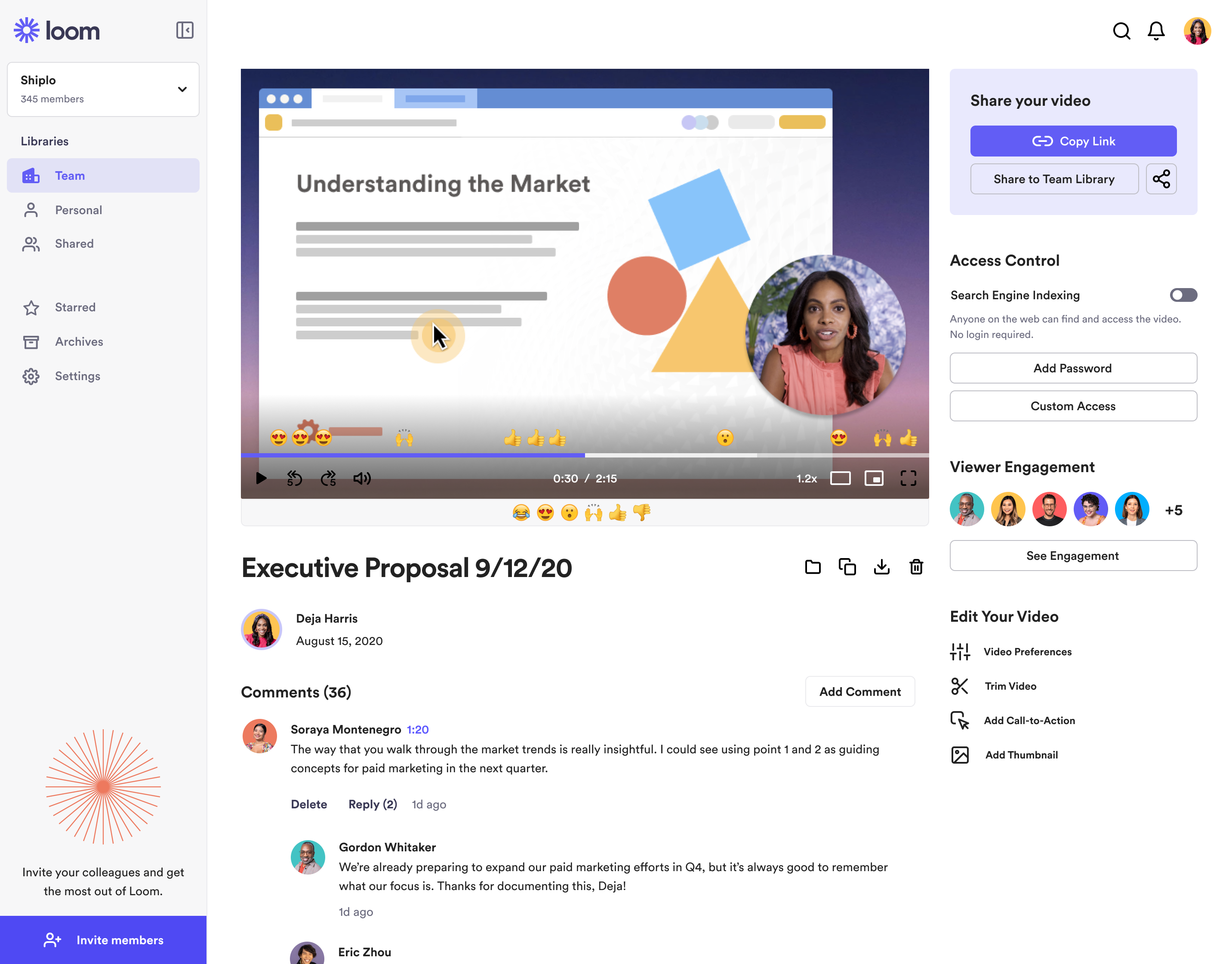
Sharing your videos is simple with Loom. You get links to share across platforms. Team members can view and comment on videos. This makes collaboration easy and efficient. Reduce meetings and emails with shared videos.
Transcriptions And Captions
Loom provides automatic transcriptions. This helps viewers understand your videos better. Captions can be added for accessibility. This feature is useful for non-native speakers. Enhance your video’s reach with captions.
User-friendly Interface
Loom has a simple and clean interface. It is easy to navigate and use. Even beginners can create videos quickly. The interface is designed to save time. Focus on creating content, not learning tools.
Pricing And Affordability
Loom offers both free and paid plans. Each plan comes with its own set of features. The free plan includes basic video recording and sharing. Paid plans add more advanced features.
The free plan allows users to record and share videos. It includes basic editing tools. Paid plans offer more. They include advanced editing, video libraries, and real-time notifications.
The paid plans provide good value. They reduce the need for long emails and meetings. Users can create and share videos quickly. This saves time and improves communication.
Credit: freeup.net
Pros And Cons Of Loom Video Editor
Loom is a video messaging tool that helps you record screen videos easily. You can create video libraries and share video links across many platforms. Loom helps you reduce meetings and long texts. You can edit your videos before sharing. Record exactly what you need and create knowledge materials. It also offers a Chrome extension for easy access.
Loom allows for quick and engaging communication. It provides better context and data through video. It helps in internal documentation and knowledge sharing. Get real-time notifications for video views. It offers basic video editing features like trimming and adding thumbnails. Store and classify knowledge materials in a centralized place.
Loom has some limitations. The deal is non-refundable, so be sure before you purchase. The video editing features are basic. Advanced users may need more tools. Loom is best for marketing agencies, product managers, and SaaS companies. If you need more advanced features, consider alternatives like VideoAsk and Vidyard. Loom integrates with tools like Google, Salesforce, Trello, and Zendesk. It is GDPR-compliant for secure use.
Recommendations For Ideal Users And Scenarios
Loom is perfect for creating quick video messages. Teams can use it to share updates. It reduces the need for long texts or meetings. Busy professionals will find it helpful for sending detailed instructions. Video messages are more engaging. They provide better context than emails.
Marketing agencies will find Loom useful for quick client updates. Product managers can share product demos easily. It helps SaaS companies create support videos. Loom is also great for creating knowledge materials. Teams can record and share tutorials. Real-time notifications help track video views.
Credit: www.softwareadvice.com
Frequently Asked Questions
Does Loom Have A Video Editor?
Yes, Loom has a video editor. You can trim, cut, and add calls-to-action to your videos easily.
Is Loom Video Free?
Yes, Loom offers a free plan. It includes basic features and limited recording duration.
What Is A Loom Video Used For?
A Loom video is used for screen recording, creating tutorials, team collaboration, and sharing quick video messages. It’s ideal for remote work.
Why Use Loom Instead Of Youtube?
Loom offers easy video creation and sharing for quick communication. It’s ideal for team collaboration and feedback.
Conclusion
Loom simplifies video creation and sharing for everyone. It saves time and adds clarity. Its features, like screen recording and editing, make it versatile. Perfect for marketing agencies, product managers, and SaaS companies. Use Loom to enhance communication and reduce lengthy texts and meetings. Try Loom today for a more engaging way to connect. Visit Loom’s official page for more details.
